

One governed path from AI request to live attribution.
Four personas. Four stages. Business Request submission, FinOps Lead approval, Cloud Engineer implementation, and Product Owner claim, each role owning exactly its part, none doing the other's job.
Four Stages
Submits a Business Request through the Add Workload wizard. Describes the workload, selects runtime, sets a budget estimate, declares a business case.
Reviews the Business Request, selects platform and model, configures account and region, acknowledges the business case, sets task priority, and approves.
Works through a pre-built 4-step task. Verifies model access, creates the IAM role, applies the permission policy, marks the task Implemented.
Receives notification that the workload is Ready to Claim. Claims the IAM role in Spaces. Copies the Developer Handoff (Role ARN and Model ID) into the application.
Stage 1: Product Owner Submits
Describe your workload. Not your infrastructure.
The Product Owner uses the Add Workload wizard in Spaces. Three steps: use case, estimate and details, review. No platform selection. No model knowledge. No AWS access required.
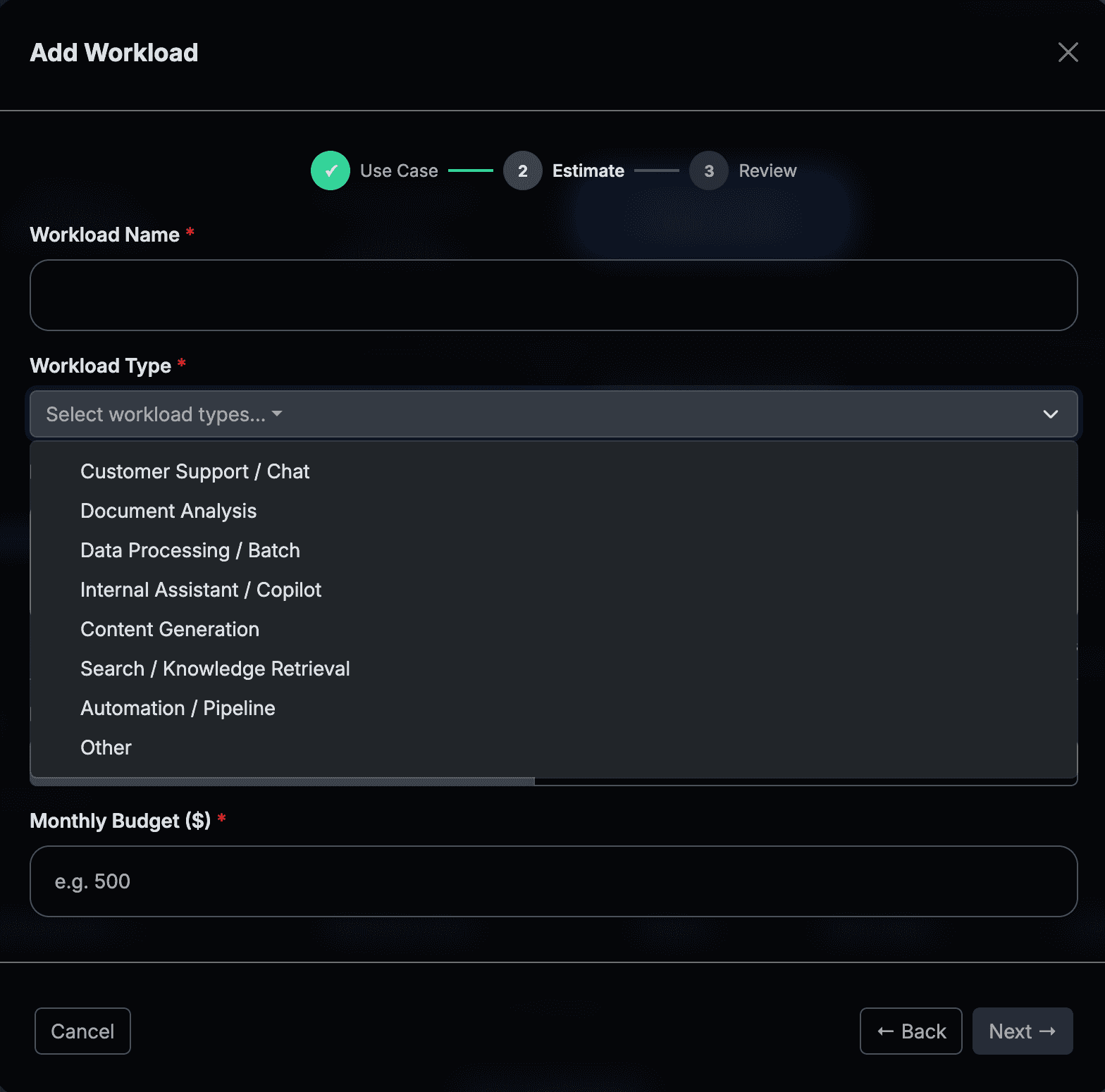
Step 1: use case selection. Three paths: Infrastructure, Coding AI (developer productivity), Operations AI (customer support, automation, internal tools).
The Product Owner selects the runtime their application uses. FinOps Center uses this to auto-generate the IAM trust policy for the Cloud Engineer task. No policy authoring required from either party.
The Product Owner declares the value type (Cost Saving or Revenue Driving), the current annual baseline amount, and a target percentage. FinOps Center derives the declared annual opportunity. Captured at the same step as the estimate, not a separate form.
Two paths in the wizard: Create a new workload, or Add AI capabilities to an existing workload. Adding to existing appends an AI component to the parent workload record. No new workload is created, and spend rolls up to the same budget owner.
Stage 2: FinOps Lead Approves
Every technical governance decision, owned by one role.
The FinOps Lead receives the Business Request with full business context. A 4-step review: read the request, select the platform, configure the model and scope, acknowledge the business case and approve. One approval generates every downstream task automatically.
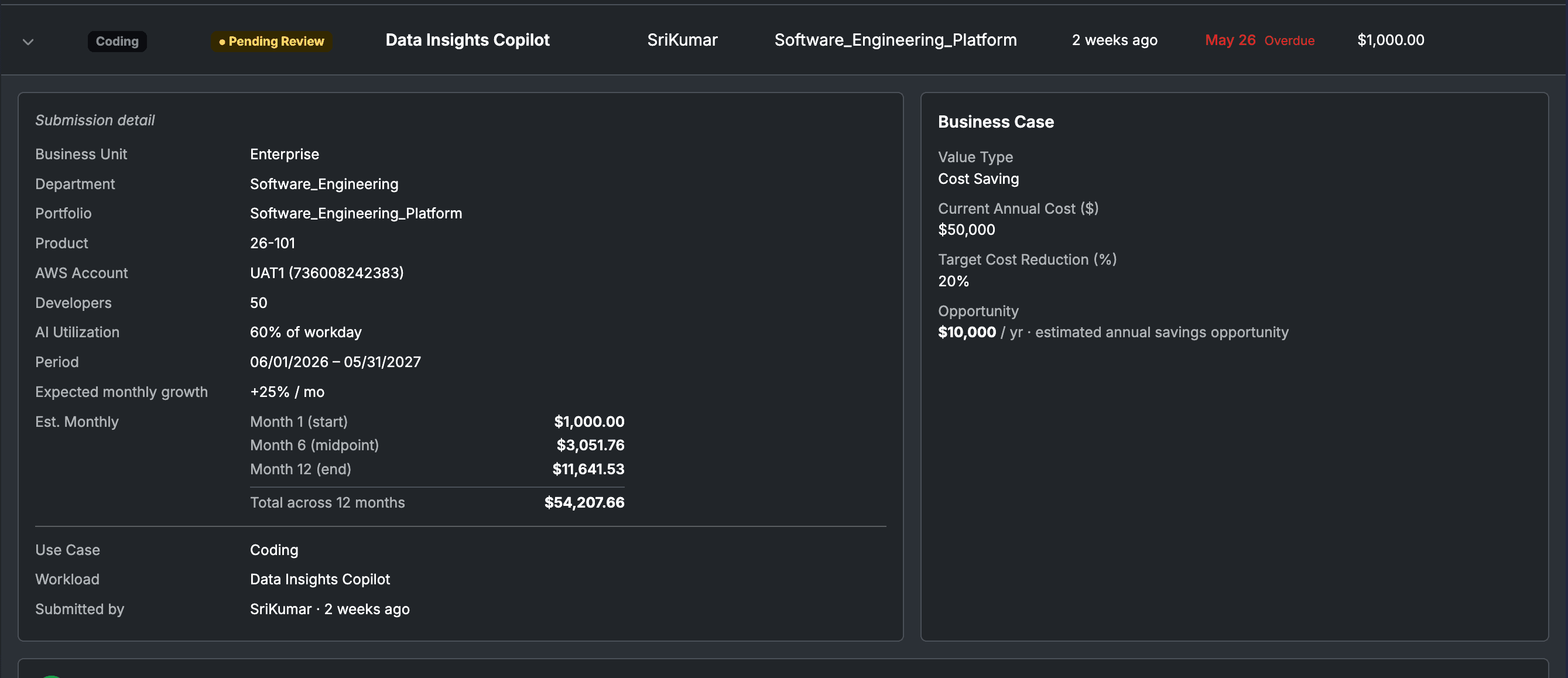
The FinOps Lead review queue: full business context on top, 4-step approval flow. One approval fans out all downstream CE tasks automatically.
Business context, team size, AI utilization, workload purpose, PO budget estimate, and declared business case.
Bedrock, AWS Marketplace Models, Claude Platform, or AgentCore, based on workload type and organizational standards.
Model, account, region, IAM role name. Sets the FA Confirmed Estimate with live pricing. For Claude Platform: assigns workspace.
Acknowledges the declared business case. Sets priority (Normal: 5 days / Priority: 2 days). Writes rationale. Approves.
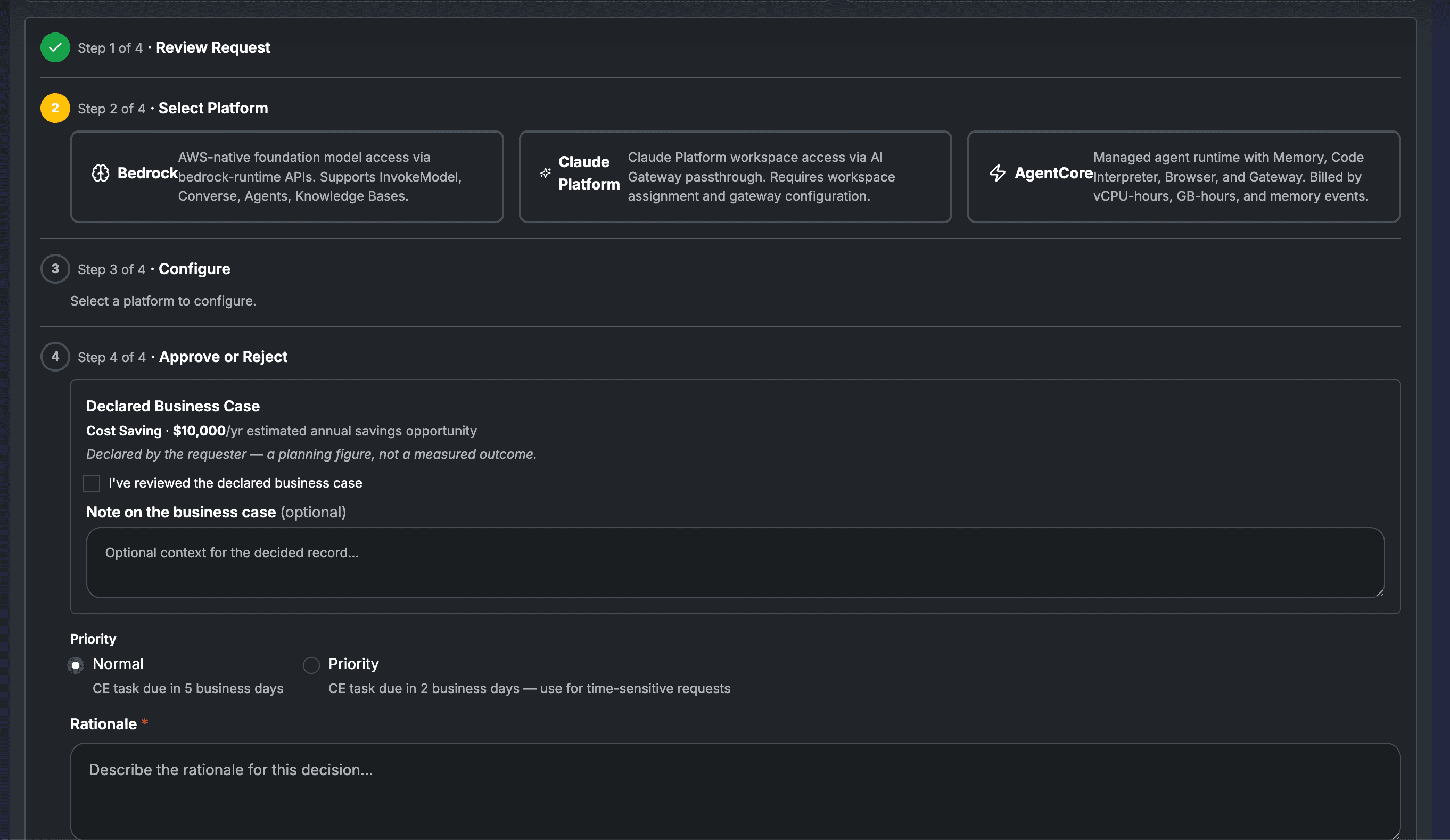
Step 4: the declared business case is surfaced with the honesty disclaimer. FA acknowledges before approving. Priority flag sets the CE task SLA.
Stage 3: Cloud Engineer Implements
Pre-built tasks. Pre-written commands.
No judgment calls.
When the FinOps Lead approves, FinOps Center generates every Cloud Engineer task. Workload name, model ID, account, region, IAM role name, and exact CLI commands are all pre-populated. The engineer executes. They author nothing.
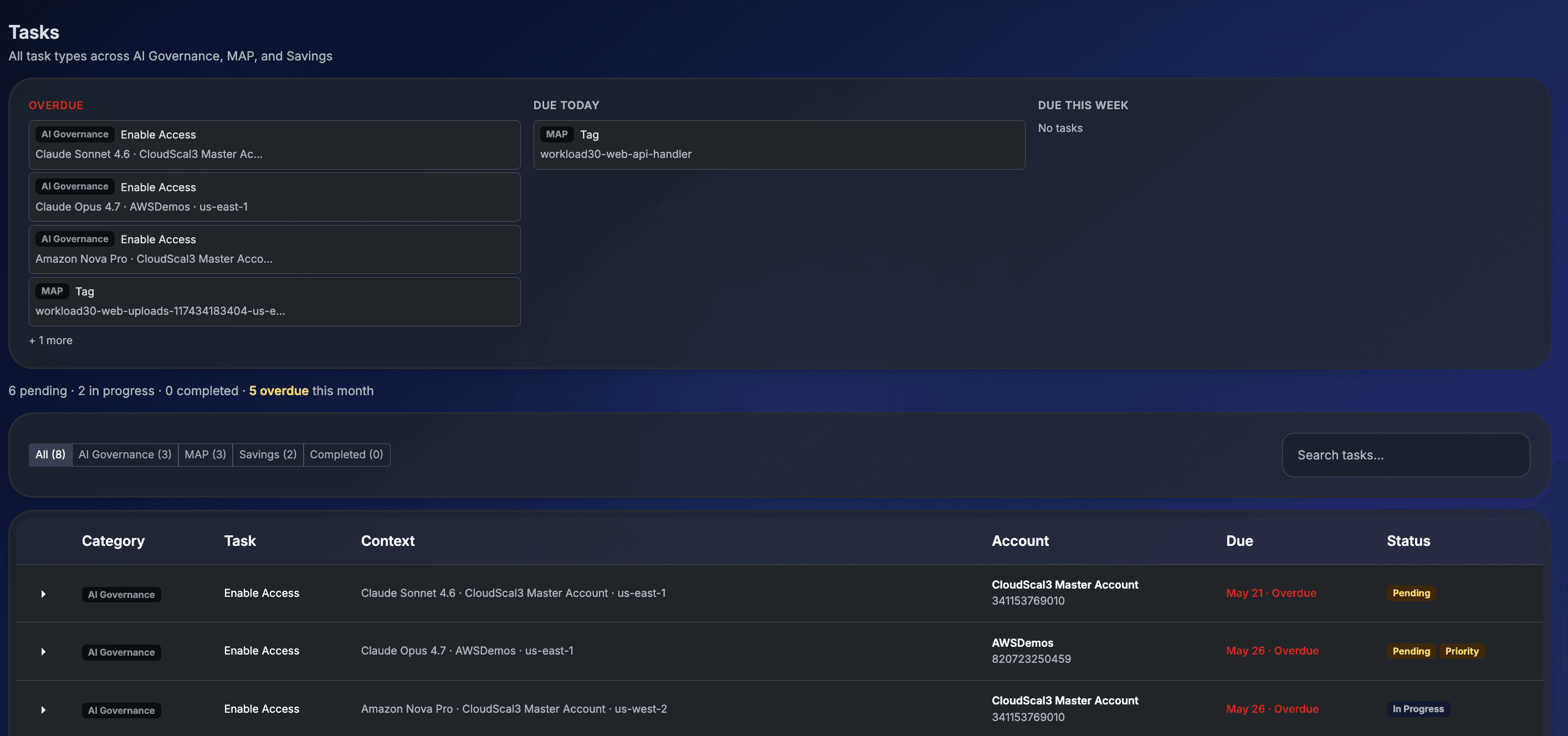
Cloud Engineer task detail: platform, approval rationale, 4-step progress, and CLI commands pre-written for each step. Trust policy auto-generated from the PO's runtime selection.
Console deep-link to Bedrock Model Access for the target account. Confirm the foundation model is enabled.
Role name auto-generated: finops-{workloadName}-{4charId}. Trust policy pre-populated from the PO runtime selection. CLI command provided.
Apply deny-all baseline, then attach the model-specific allow policy with bedrock:InvokedModelId condition key scoped to the approved model ARN.
Developer Handoff generated: IAM Role ARN and Model ID. Workload status moves to Ready to Claim. PO is notified in Spaces.
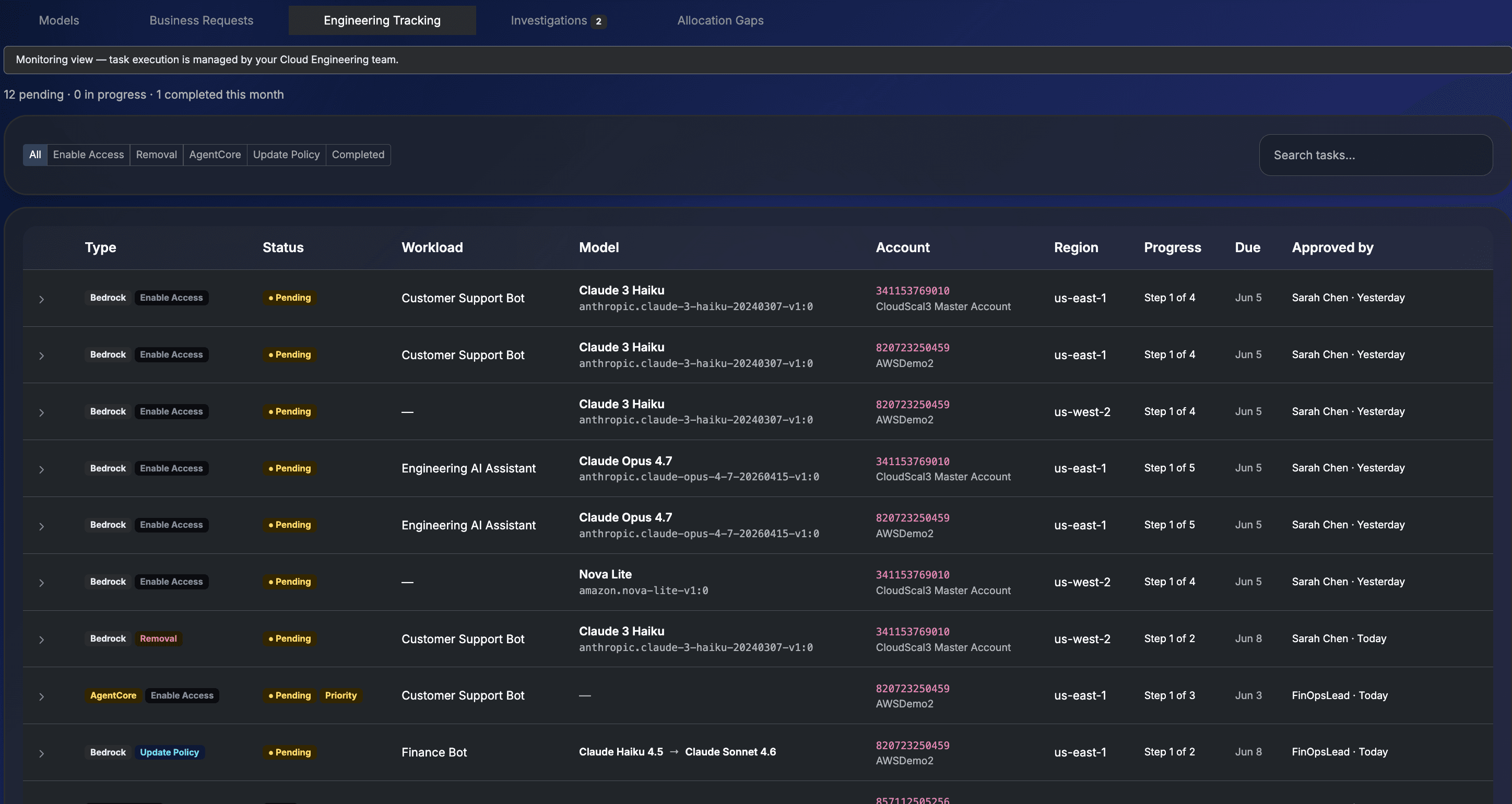
Engineering Tracking: every approved Business Request generates tasks with type, model, account, region, and step progress pre-populated.
Stage 4: Product Owner Claims
Ready to Claim. Developer Handoff. Live.
When the Cloud Engineer marks the task Implemented, the workload status moves to Ready to Claim and the Product Owner is notified. One click in Spaces claims the IAM role. The Developer Handoff block containing the IAM Role ARN and Model ID, ready to paste into the application SDK.
Generated when the CE marks the task Implemented. Visible in the workload detail in Spaces. Copy individually or copy all, then paste directly into the application's SDK configuration.
From the moment the workload goes Live, AI spend from the claimed IAM role attributes to this workload's budget. Weekly Cloud Spend Cards generate starting the following Monday. Attribution rolls up: Product (E4) to Portfolio (E3) to Department (E2) to Business Unit (E1).
The governed path is the fast path.
From Business Request to a live, attributed AI workload in under two business days. Every step pre-built. Every decision owned. Every dollar accounted for from the first API call.